Many of you must have noticed the call for core apps proposals that’s being run by the Ubuntu Community team. The response has been great, thanks to everyone taking part!
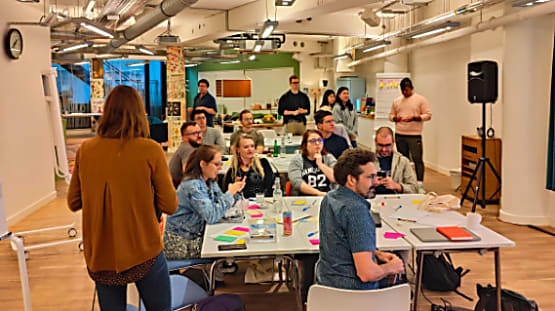
In the Design Team, we thought that we could chip in to this effort and come up with some design concepts that reflect the vision of where Ubuntu is headed towards on phones, and start by sharing some concepts we’ve come up with in our London offices.
What we really want to do with these utilities, is not just to make them work, but to use to opportunity to explore and express the three themes stated in the Design Vision:
- Focus on the content
- Fast and natural interactions
- Sophisticated style
Based on these drivers we set out to distill each app to its core constituents, and if possible, find little twists that makes them unique and more engaging to use.
We’ve looked at Clock, Weather, Calculator and Calendar – since they are the core utilities every phone needs.
Clock
These days phones have largely replaced our wristwatches, alarm clocks, egg timers and stopwatches. However, some of those old appliances are beautifully designed, very functional and simplistic; we wanted to bring back that obvious simplicity to our clock app.
Weather
A weather app is a utility we use every day to decide how to get to work or what to wear. It’s essential that this app tells us how hot or cold it’s going to be or how much rain or wind we should expect!
Calculator
The pocket calculator has been an everyday companion since the 1970s, and its interface with a number pad and add, subtract, multiply, and divide buttons has become very familiar. With a few tweaks, this simple interface could be updated to the 21st century, to make it accommodate casual everyday maths, without losing its original simplicity.
Calendar
As with phones to the clock, the calendar app has gradually replaced its paper counterpart. Considering the centuries of design thought that has gone into paper diaries, though, there is still opportunity to enhance the calendar app experience. Paper diaries have been great at telling us what we’re up to each day, and our calendar app should do just that.
Now what?
This is just the beginning. We are looking forward to iterating these apps with you through design and development with the goal of landing them on the Ubuntu Phone!
P.S. Sign up to the Ubuntu Phone mailing list and the IRC channel to discuss more.


This post mainly drops some screenshots and says “this is beautiful”. I’d like to see *what* little tweaks you applied to each app to make it so :)
sir, was that for mobiles???
All apps looks like analogies from Nokia N9.
Looks nice!
Questions:
- If ubuntu now works on phone and pc, does this mean in future we will have the same apps on phone and desktop? Will these apps in future appear in desktop ubuntu with desktop version of interface? Ubuntu really needs calendar and contacts apps.
- Can I have multiple alarms? Are there settings to set alarm only on certain weekdays?
- What about scientific mode for calculator? At least I need brackets, square root and degree^.
- I really need week numbers in calendar.
Waiting for more info. Good luck!
And what about multiple calendars with different colors?
I also want to have option to make at least one calendar – “busy” calendar. “Busy” state means phone will turn off sounds during meetings in this calendar and turn on during free time.
And one more :)
I like idea of having light and dark themes of interface. All these screenshots are nice, but it’s pain for eyes to use white background at night or in dark room.
And we need small weather icon on top menubar.
It looks like maybe you were inspired by my idea of stacking equations :) It feels really great to have contributed!
Wuestion: how does the user name a calculator session?
Nice; I think the challenge is to get them all to seemlessly integrate – I’m not sure these days you should be thinking about a ‘calendar’ app, or a ‘clock’ app (certainly not for current time). Heck you might even want to display the weather information together with your calendar.
(Actually for a nice example of a weather applet, have a play with YaWP on KDE – very flexible, and packs a lot of information in clearly).
These look absolutely amazing! :)
In calculator, I think it would be better if the digit 0 was below 2.
why can’t we make more apps like those for the desktop person
* version
One general comment – all the screens above are still wireframes, so how they turn out is still pending detail and visual design.
Regarding light and dark themes: In principle, there’s a mental model we want to apply there. System areas i.e. indicator menus, settings are dark; Dash is chameleonic i.e. based on the wallpaper and apps are light or custom themed.
However, we’ve looked into more intelligent ways to manage contrast, brightness and colour palettes dynamically. That was inspired by Solarized
http://ethanschoonover.com/solarized and by the fact that mobile devices are used in a wide variety of conditions. That’s all still speculation, though.
About the weather indicator: app specific indicators are currently not supported. That area of the screen is very congested, and we don’t want to make a mess of things at this point. However, if there’s a strong case for inclusion, or a proposal for a system to handle them, things can of course be changed.
Regarding having phone apps running on other platforms: have a look at the “Side Stage” on Ubuntu Tablet, the answer is there.
Hi, Mika,
I’m one of developers working on calculator app. I have tried to follow your design as much as possible in app but real app does more and is different. I have already some feedback from users. As developer I might have missed some subtle thing as well. I can collect design ideas in one place and we could discuss them. If you have time for that could you drop me e-mail.